



Request a Quote Today

Thank You For Your Interest in E-Control Systems Please fill out the required fields here. We will review your request and contact you back shortly. If you have any questions about this quote, or our service in general, please feel free to contact us here or call us at 818.783.5229.

    (By providing my contact information below, I consent that E-Control Systems can contact me with information regarding my quote.)

    Image Alt
    E-Control Systems
     . Blog  . 5 Critical IT Server Room Hazards and How to Prevent Them
    Server Room Hazards

    5 Critical IT Server Room Hazards and How to Prevent Them

    Why Server Room Monitoring is Non-Negotiable

    An IT server room can’t function safely without continuous monitoring, especially if hazards develop like overheating, power fluctuations, and equipment malfunctions. Even minor temperature spikes or changes in humidity can lead to data loss and costly downtime. Real-time monitoring can help IT teams identify problems and respond before they escalate and disrupt operations or cause  infrastructure damage. When automated monitoring tools are integrated, businesses can protect sensitive equipment, so their IT environment will be stable and reliable.

    Common Hazards in the Modern Computer Server Room

    A computer server room is vulnerable to hazards like poor airflow, intruding moisture, and overloaded circuits, all of which can compromise system performance. These issues are often ignored until equipment fails or network reliability drops. Proactive monitoring and preventive maintenance can ensure server rooms are safe and operational.

    1. Temperature Fluctuations and Thermal Runaway

    Sudden temperature spikes in a computer server room can push equipment into thermal runaway, causing rapid overheating and leading to unexpected shutdowns. Maintaining consistent cooling and monitoring temperatures helps prevent catastrophic hardware failures.

    2. Humidity Imbalance: The Hidden Threat

    Excess humidity can lead to condensation inside sensitive components, while low humidity increases static discharge risks. Moisture can corrode metal contacts or create electrostatic hazards in computer server rooms. Maintaining balanced humidity ensures stable performance and prevents moisture related failures.

     3. Water Leaks and Fluid Ingress

    Water leaks from HVAC systems, burst pipes, or roof failures can quickly infiltrate a server room and cause irreparable damage. Early leak detection sensors can be installed to provide warnings before leaks reach critical hardware. 

     4. The Server Room Fire Hazard: Electrical and Airflow Issues

    Overloaded circuits, faulty wiring, and poor ventilation create dangerous heat pockets that increase the likelihood of a server room fire hazard. Regular electrical inspections and consistent airflow monitoring reduce the risk of ignition. 

    5. Unauthorized Physical Access and Human Error

    Human error is one of the leading causes of server room incidents, especially if untrained personnel enter restricted areas. Unauthorized access can cause tampering with equipment, misconfigurations, or accidental unplugging, which can disrupt operations. Restricting access and enforcing operational procedures helps ensure the IT environment stays secure.

    Critical Safeguards: Best Practices for Server Room Safety

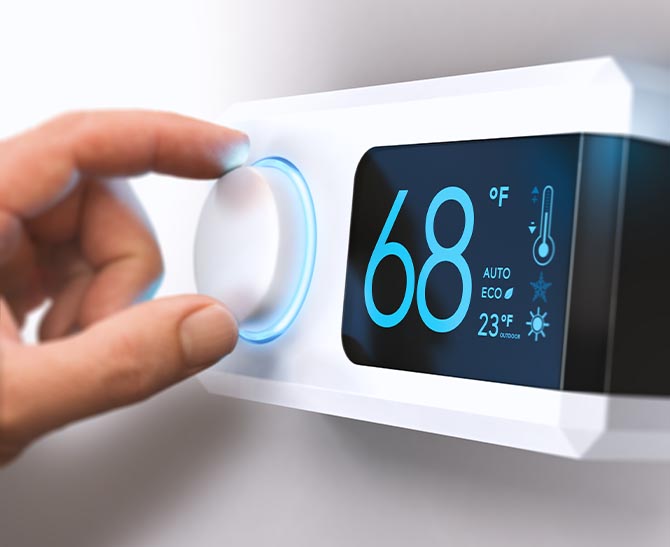
    • Maintain stable temperature control between 68°F and 77°F to prevent overheating.
    • Use continuous monitoring to detect temperature spikes, airflow issues, or cooling failures.
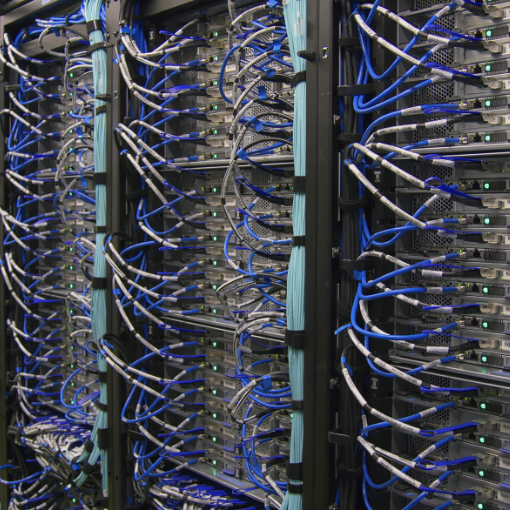
    • Keep airflow clear by organizing cables and ensuring vents and racks are unobstructed.
    • Control humidity to prevent condensation, corrosion, and electrostatic discharge.
    • Install leak detection sensors to catch water intrusion early.
    • Reduce server room fire hazards by managing electrical loads and ensuring proper ventilation.
    • Restrict access to authorized personnel to minimize tampering and human error.

    Automating Your Defense with E-Control Systems

    Automating your defense with E‑Control Systems data center temperature monitoring system can strengthen IT server room safety by providing continuous protection. It can track and record levels for temperature, humidity, and the condition of equipment in real time. Temperature and equipment failures can be avoided when an E-Control system is put in place in your facility.

    Server Room Hazard FAQ's

    What is the ideal temperature for an IT server room?

    The ideal temperature for an IT server room falls between  68°F and 77°F (20°C to 25°C), protecting sensitive equipment. Staying within this range minimizes the risk of overheating, reduced efficiency, and potential downtime. Monitoring tools help ensure your computer server room remains stable and compliant with industry standards.

    How can I prevent a server room fire hazard?

    Preventing fire hazards in a server room begins with maintaining a stable temperature, ensuring proper airflow, and detecting early signs of equipment stress. E‑Control Systems offers continuous temperature monitoring that identifies dangerous spikes before conditions rise into unsafe ranges so they won’t spark a fire. With automated alerts and digital logs, facilities can reduce the chance of electrical or thermal ignition and keep infrastructure running safely.

    What are the most common causes of server room downtime?

    The most frequent causes of server room downtime include temperature spikes, network equipment failures, and human error during maintenance or configuration changes. When temperatures rise or cooling systems fail, servers can shut down unexpectedly or throttle, causing major outages. An E-Control temperature monitoring system combined with real-time alerts can prevent server room downtime, so business continuity isn’t interrupted.


    For more information about what E-Control Systems can do for your healthcare facility, take a look at our Healthcare solutions.